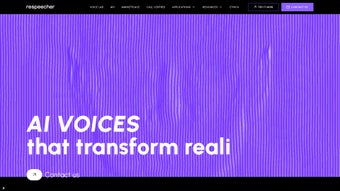

Download Respeecher – AI Voice Cloning, High‑Quality Synthetic Speech, Secure & Easy
Overview
Respeecher is a cutting‑edge voice replication tool that leverages deep‑learning algorithms to create lifelike synthetic speech. Designed for filmmakers, game developers, podcasters, and any creator who needs a reliable voice‑cloning solution, Respeecher captures the subtle nuances, emotional inflections, and unique timbre of a source voice. The platform’s promise is simple: give you the power to replace or augment spoken dialogue without the need for costly re‑recording sessions.
Trusted by industry giants such as Lucasfilm and Sony, Respeecher has proven its capability to deliver studio‑grade results on a budget that works for independent creators as well. Whether you are building a cinematic universe, animating a character, producing a multilingual podcast, or experimenting with audio‑driven games, Respeecher offers a secure, ethical, and flexible workflow. The software integrates seamlessly with popular digital audio workstations (DAWs) and video editing suites, allowing you to import, edit, and export cloned voices directly within your existing pipeline.
By providing high‑fidelity voice synthesis, Respeecher opens new doors for creative storytelling, talent engagement, and localization, all while maintaining strict compliance with privacy and consent standards.
Core Features That Set Respeecher Apart
- Deep‑Learning Voice Modeling: Utilizes state‑of‑the‑art neural networks trained on thousands of hours of speech to replicate vocal characteristics with uncanny accuracy.
- Emotion‑Aware Synthesis: Captures subtle emotional cues—joy, sadness, tension—ensuring the cloned voice feels natural in any narrative context.
- Multi‑Language Support: Enables voice cloning for over 30 languages, making it ideal for global projects and multilingual podcasts.
- Studio‑Grade Audio Quality: Delivers 24‑bit/48 kHz output, free of artifacts, suitable for broadcast, cinema, and high‑definition gaming.
- Secure Cloud Processing: All audio is encrypted in transit and at rest, complying with GDPR and CCPA standards.
- Creative Control Dashboard: Offers fine‑tuning knobs for pitch, speed, and timbre, letting creators shape the final voice to match their artistic vision.
- Ethical Use Framework: Built‑in consent verification and watermarking to protect original voice owners and prevent misuse.
- Integration Plugins: Native plugins for Adobe Audition, Pro Tools, Unity, and Unreal Engine streamline workflow without leaving your preferred environment.
- Scalable Pricing Model: Tiered plans ranging from a free trial to enterprise licenses, ensuring accessibility for hobbyists and large studios alike.
- Rapid Turnaround: Most voice‑cloning jobs are completed within 24 hours, accelerating production schedules.
Installation, Usage & Compatibility
Getting started with Respeecher is straightforward, whether you prefer a cloud‑based web portal or a locally installed client for offline work.
Step‑by‑Step Installation
- Create an Account: Visit Respeecher.com and sign up using your email or social login. Verify your account through the confirmation link.
- Select a Plan: Choose from the free trial, creator, or enterprise tier. Payment is processed securely via Stripe or PayPal.
- Download the Client: For Windows or macOS, click the “Download Desktop App” button. The installer is an .exe (Windows) or .dmg (macOS) file.
- Run the Installer: Follow the on‑screen prompts. The installer verifies system requirements and installs the necessary Python runtime and CUDA libraries for GPU acceleration.
- Log In: After installation, launch Respeecher and log in with the credentials created earlier.
Using the Dashboard
Once logged in, you’ll land on the main dashboard where you can upload source audio, configure cloning parameters, and monitor processing status. The workflow typically follows these steps:
- Upload Source Voice: Drag‑and‑drop a high‑quality recording (minimum 16 kHz, preferably 48 kHz) of the voice you wish to clone.
- Define Target Script: Type or paste the script you need spoken. The AI will automatically align phonemes to the source voice model.
- Adjust Settings: Use the sliders for pitch, speed, and emotional tone. You can also enable “Voice‑Preserve” to keep signature quirks intact.
- Submit for Processing: Click “Generate” and watch the progress bar. Most jobs finish within a few minutes for short clips; longer projects may take up to 24 hours.
- Download & Integrate: Once completed, download the WAV or MP3 file and import it directly into your DAW, video editor, or game engine.
Supported Operating Systems: Respeecher’s desktop client runs on Windows 10/11 (64‑bit) and macOS 12 Monterey or later. The web portal works on any modern browser (Chrome, Edge, Firefox, Safari) and offers mobile‑optimized interfaces for iOS 13+ and Android 9+.
For teams that require on‑premise solutions, Respeecher also provides a Docker‑based deployment that can be hosted on Linux servers, ensuring compliance with strict data‑ residency policies.
Pros, Cons, and Frequently Asked Questions
Pros
- Exceptional audio fidelity that rivals professional voice actors.
- Emotion‑aware synthesis produces natural‑sounding dialogue.
- Broad language coverage supports global projects.
- Secure cloud processing with end‑to‑end encryption.
- Flexible pricing makes it accessible to both indie creators and large studios.
- Fast turnaround times keep production pipelines moving.
- Integration plugins streamline workflow in popular creative tools.
- Ethical framework protects voice ownership and prevents abuse.
Cons
- High‑quality cloning requires clean source recordings; noisy audio may reduce accuracy.
- Advanced customization (e.g., detailed emotional control) may have a learning curve.
- Enterprise tier pricing can be significant for large‑scale deployments.
- Internet connectivity is required for cloud processing, which may be a limitation in restricted environments.
- While the platform offers many languages, some low‑resource languages have limited support.
Frequently Asked Questions
Is Respeecher legal to use for commercial projects?
Yes. Respeecher operates under a strict consent framework. You must obtain permission from the original voice owner before cloning, and the platform automatically embeds a usage watermark to ensure transparency.
Can I clone a celebrity’s voice without their permission?
No. Respeecher’s policy prohibits the cloning of any voice without explicit consent. The service will reject uploads that involve protected public figures unless proper licensing is provided.
What file formats does Respeecher support for export?
You can export in WAV (24‑bit/48 kHz), MP3 (320 kbps), and AIFF. The platform also offers direct export to Pro Tools, Audition, and Unity asset bundles.
How secure is my audio data during processing?
All data is encrypted with TLS 1.3 during upload and stored encrypted at rest using AES‑256. Respeecher is ISO 27001 certified and complies with GDPR and CCPA regulations.
Do I need a high‑end GPU for local processing?
For cloud‑based jobs, no hardware is required. If you opt for the on‑premise Docker deployment, a modern NVIDIA GPU (RTX 3060 or higher) is recommended for optimal performance.
Conclusion & Call to Action
Respeecher has positioned itself as one of the most reliable AI voice‑cloning solutions on the market today. Its blend of high‑fidelity synthesis, emotion‑aware rendering, and robust security makes it a compelling choice for anyone looking to enrich audio‑driven storytelling without the logistical hurdles of traditional voice‑over sessions. By offering a scalable pricing model, seamless integration with industry‑standard tools, and a clear ethical stance, Respeecher not only empowers creators but also sets a responsible benchmark for synthetic speech technology.
If you’re ready to experiment with voice cloning for your next film, game, or podcast, the best way to start is to sign up for the free trial. Experience the intuitive dashboard, generate a sample clone, and see how effortlessly Respeecher can fit into your workflow. For studios seeking larger volumes or custom licensing, the enterprise plan provides dedicated support and SLA guarantees.
Download Respeecher now, unlock limitless vocal creativity, and bring your characters to life with authentic, emotion‑rich synthetic speech.
Respeecher delivers studio‑grade voice cloning with an easy‑to‑use interface and strong ethical safeguards, making it a top pick for modern content creators.



.png)



